This guide provides step-by-step instructions for adding access policy schedules to the UniFi Access system. It is designed for administrators who need to grant employees or visitors schedule based access to doors and areas managed by UniFi.
By following this guide, you will learn how to:
- Sign in to the UniFi console and navigate to the Access section.
- Create a new access policy schedule with essential details.
- Assign the access policies to control permissions.
Use this guide whenever you need to onboard new access policies quickly and securely.
1. How to Add a New Access Policy Schedule
Sign in to UniFi Console
- Go to https://unifi.ui.com/consoles
- Select the relevant site from the list.
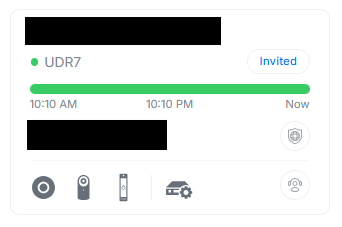
2. Navigate to Access
- From the top menu, click the Access icon.

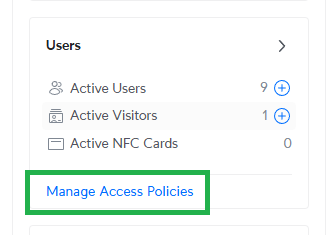
3. Navigate to Access Policies
- On the left hand menu, select Manage Access Policies
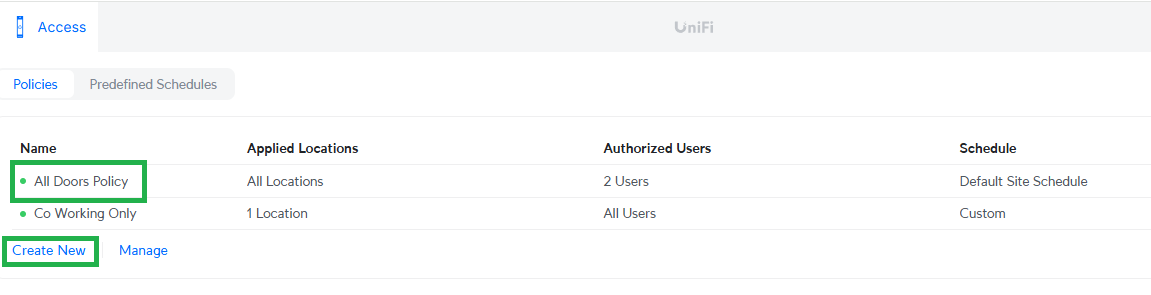
4. Create New or Edit Existing Policies
- To edit an existing policy, click the policy you want to edit
- If you want to create a new policy, click Create New
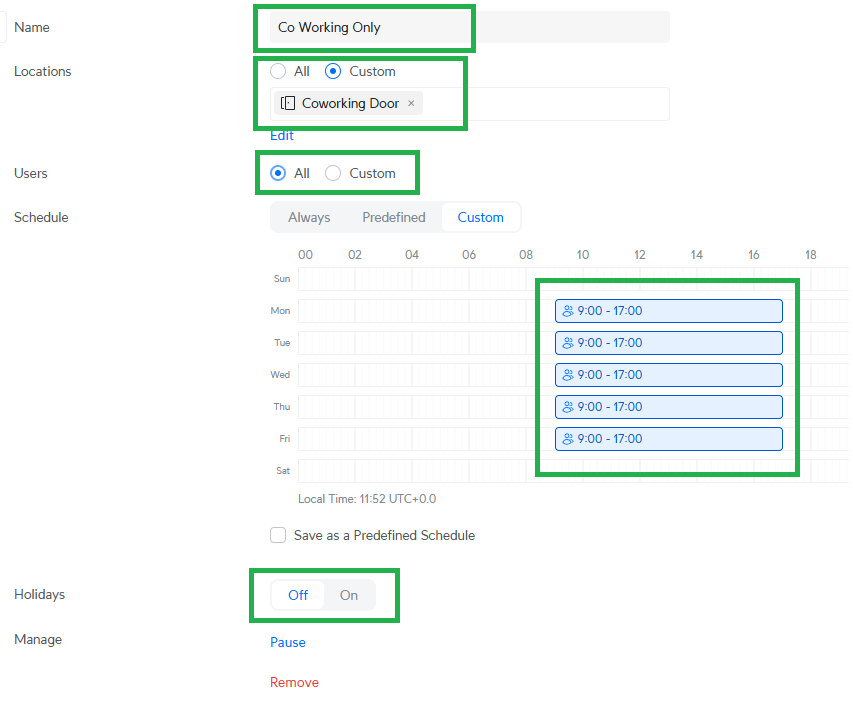
5. Edit a Policy
- Give your policy a name which is relevant to what you're setting it up for
- Select the doors you want this policy to apply to
- Select the users you want this policy to apply to
- Set the schedule that this policy will be active (i.e. if you only want the user(s) this policy applies to to be able to access your site during certain days & times)
- Add Holiday day exceptions to your schedule
6. Create a Policy
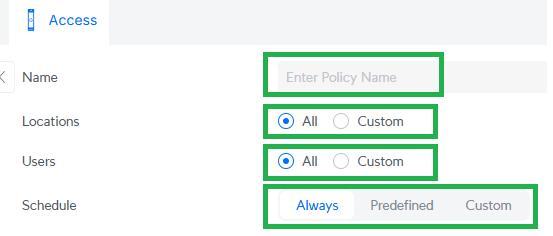
- Give your policy a name which is relevant to what you're setting it up for
- Select the doors you want this policy to apply to
- Select the users you want this policy to apply to
- Set the schedule that this policy will be active (i.e. if you only want the user(s) this policy applies to to be able to access your site during certain days & times)
6. Finalise & Next Steps
Once you've created your policies, double check to ensure all the correct user and door permissions are assigned. You can then create or edit any additional users that you need to apply these policies to.
Was this article helpful?
That’s Great!
Thank you for your feedback
Sorry! We couldn't be helpful
Thank you for your feedback
Feedback sent
We appreciate your effort and will try to fix the article