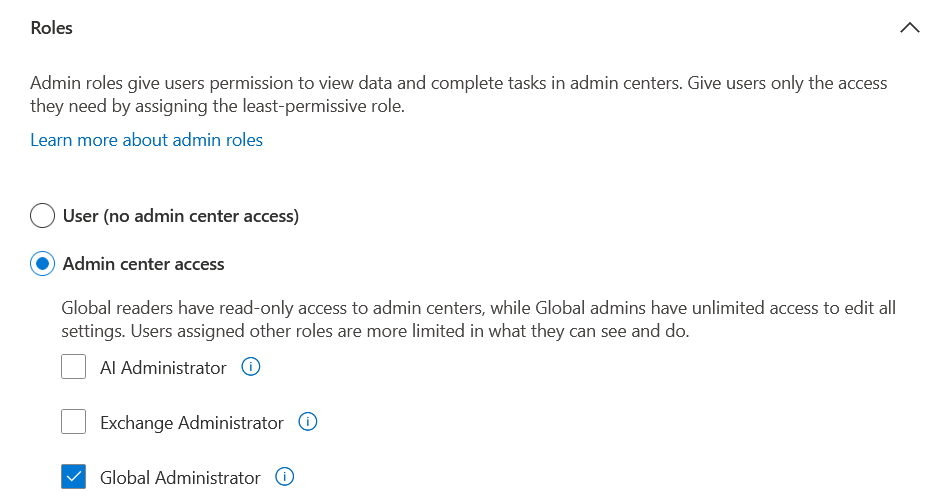
To effectively manage your Microsoft 365 environment, we’ll need a Global Administrator account. This role provides full access to configure services, manage users, and maintain security across your organisation.
In this guide, we’ll show you how to create a Global Administrator step by step, ensuring your setup is secure and compliant.
If you’ve stumbled across this article and you’re not working with Wymo, don’t worry; the instructions are still fully relevant. Just ignore any references to Wymo and follow the process outlined below.
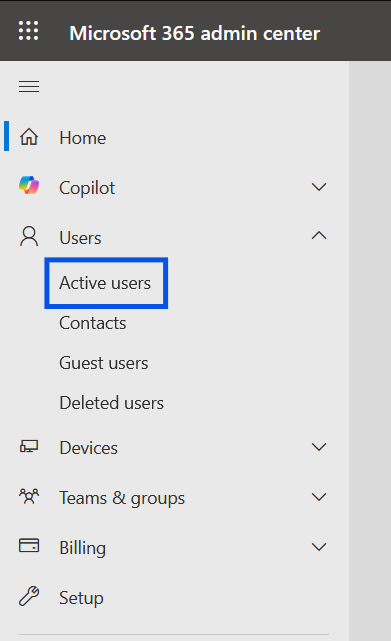
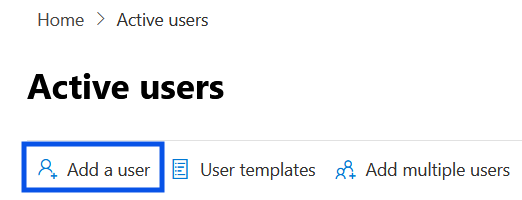
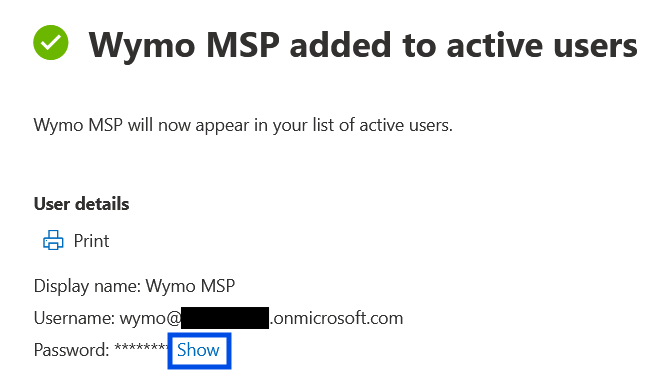
4. In the right hand blade populate the Global Administrator Details.

Note: For the 'Domains' drop down it is preferable that you select "yourcompany.onmicrosoft.com"

Was this article helpful?
That’s Great!
Thank you for your feedback
Sorry! We couldn't be helpful
Thank you for your feedback
Feedback sent
We appreciate your effort and will try to fix the article