1. Download the Addigy MDM Profile from downloads.wymo.co.uk under Addigy Profile Enrollment.
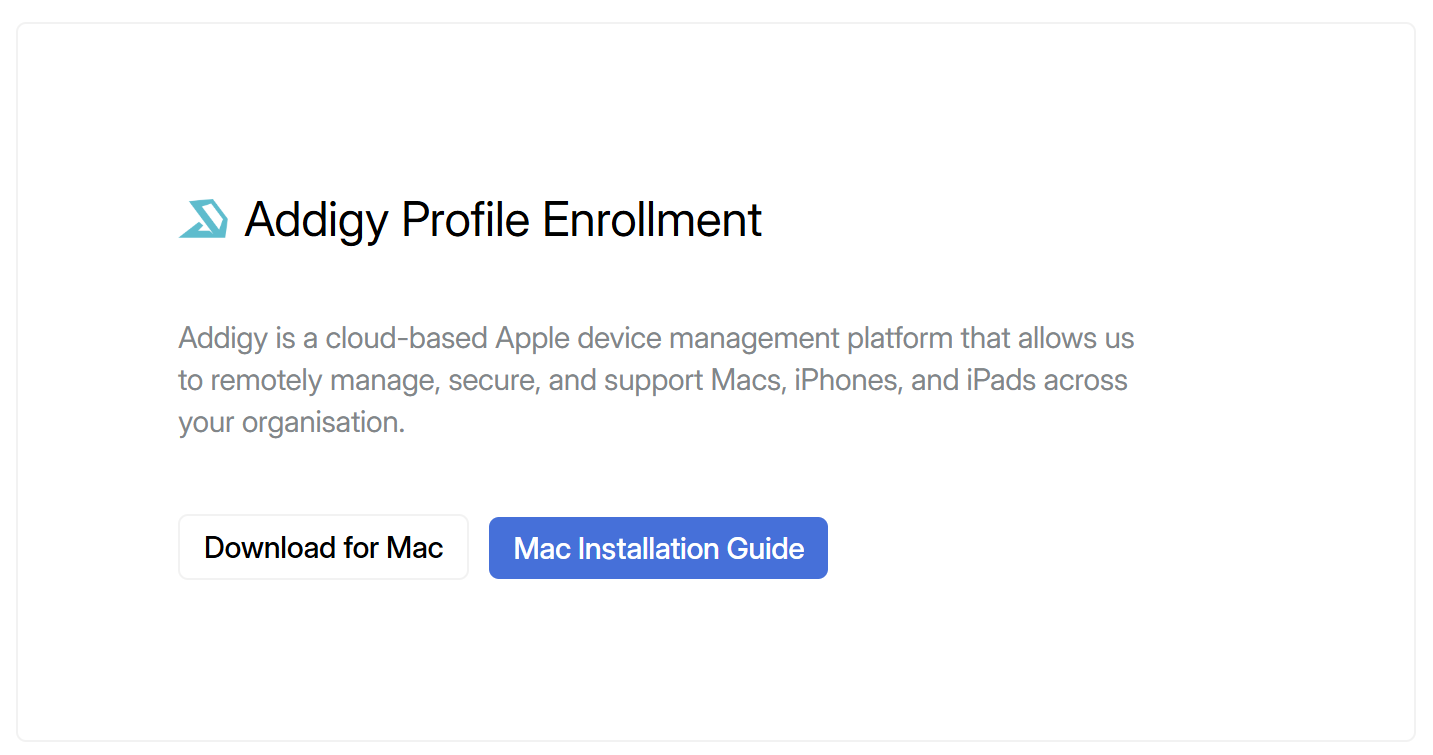
2. Once downloaded, open the file, your Mac will prompt you that this is a Profile Configuration. Double click directly on the message to dismiss it.

3. Navigate to the Apple icon in the top left corner -> System Settings -> then search Profiles and click on 'Install, view or remove configuration profiles'.
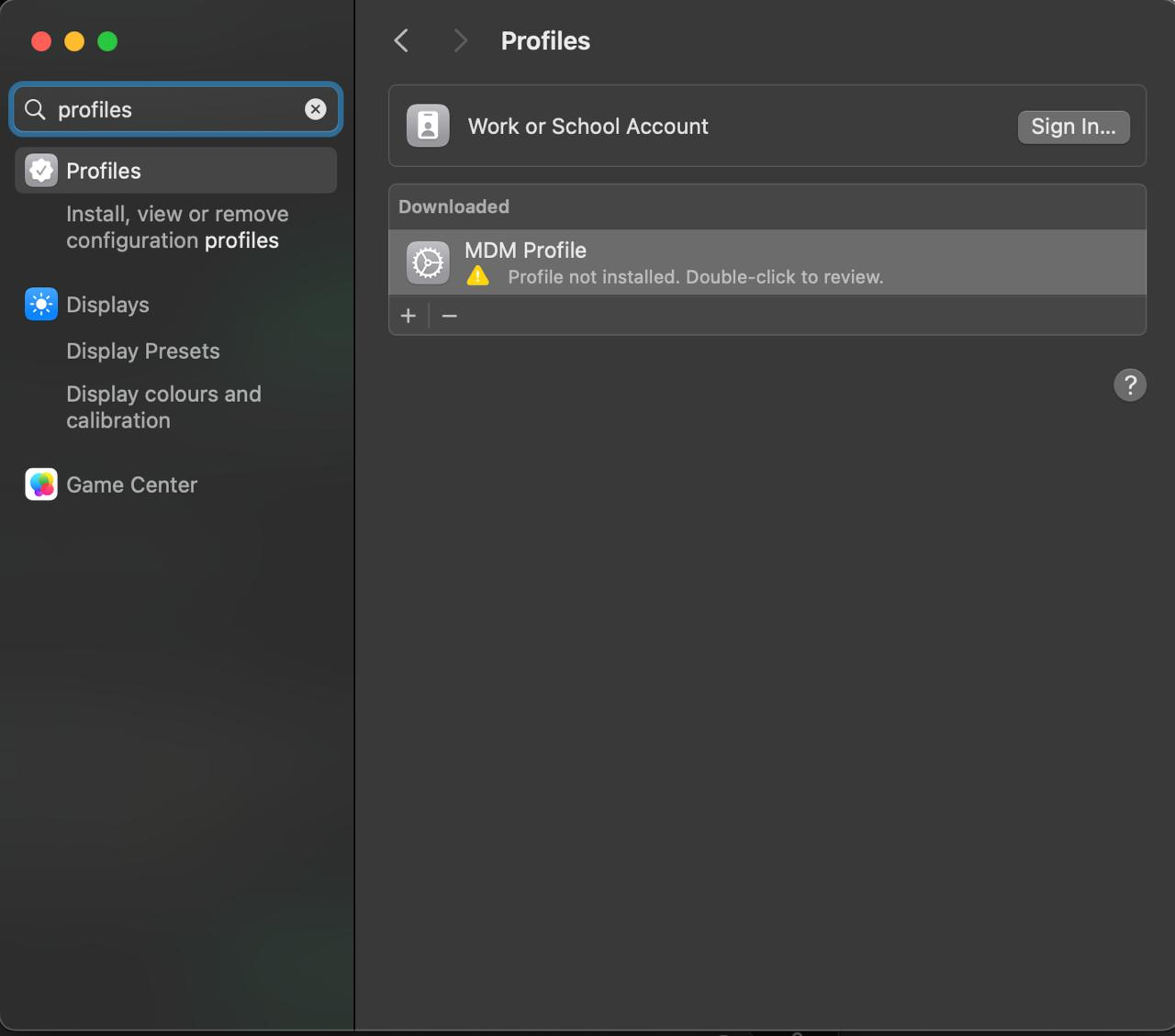
4. Double click on the MDM Profile and press Enrol. It will then install. You may have to provide approval with your login credentials.
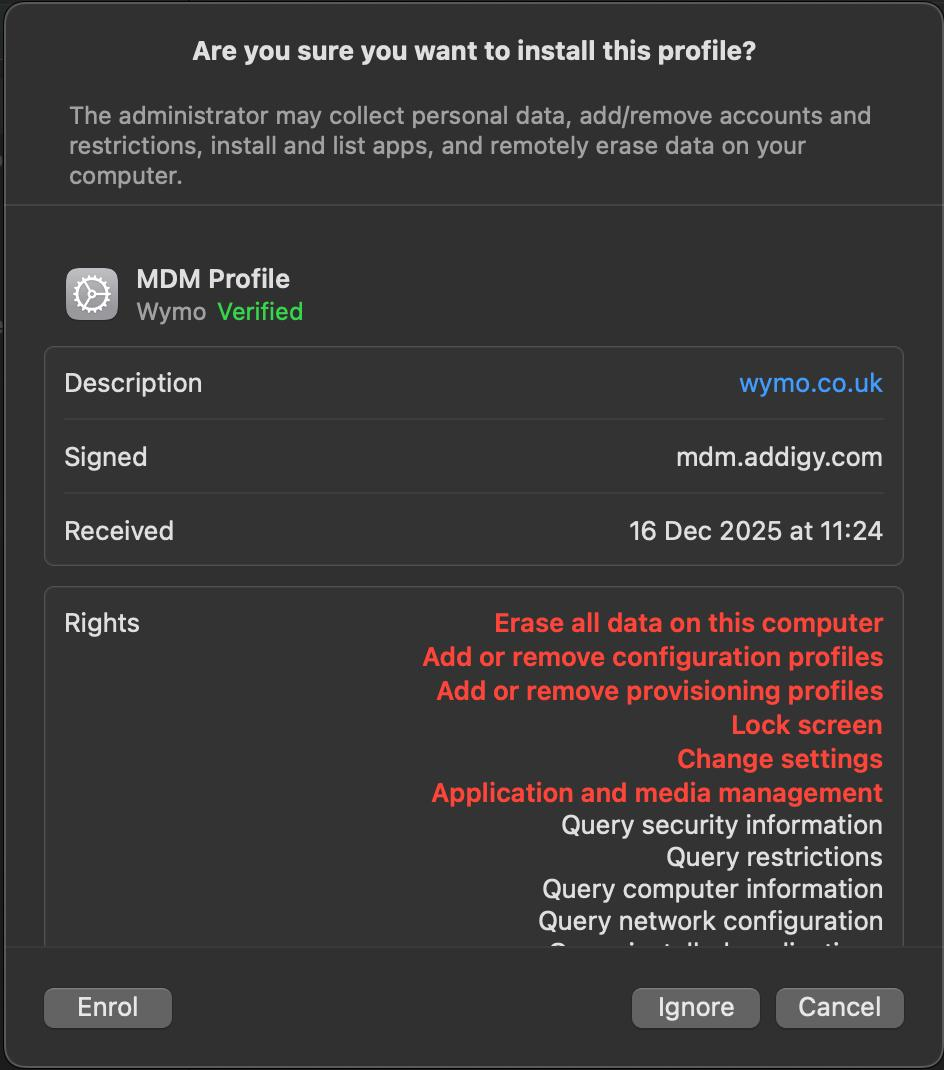
5. Your device is now enrolled in our management profile.
Was this article helpful?
That’s Great!
Thank you for your feedback
Sorry! We couldn't be helpful
Thank you for your feedback
Feedback sent
We appreciate your effort and will try to fix the article